Pincel AI Photo Editor Review, Features, and Best Uses in 2026
Pincel AI Photo Editor is one of the more practical AI image tools for creators who want faster edits without learning complex software. In 2026, it appeals to users because it can handle background changes, object removal, style edits, and other visual tasks with a simple prompt-based workflow. For readers comparing platforms, the official product page at Pincel AI offers a useful look at its current editing direction.
What Pincel AI Photo Editor Really Offers Today
Pincel is built for people who want to edit images with AI rather than spend time on manual retouching. It is designed to simplify common editing tasks while still giving users enough creative control to shape the final result. If you want to see how AI image tools are being positioned in the broader market, the overview on Theresanaiforthat is also worth reviewing.
Why Pincel Is Getting More Attention
The tool stands out because it tries to combine convenience, variety, and speed in one place. Creators, marketers, and small businesses are paying more attention to tools like this because they need content that looks polished but does not take hours to produce. In practical terms, that means Pincel is useful when speed matters as much as style.
Core Editing Tools That Users Expect
Modern users want more than simple filters, and Pincel aims to meet that demand. It supports common AI-powered actions such as removing objects, changing backgrounds, adjusting portraits, and creating stylized visuals for social or business use. For mobile users, the Google Play listing also shows that the platform extends beyond desktop-only usage.
Prompt-Based Editing Changes The Process
One of the biggest advantages of Pincel is the way it uses prompts to guide editing. Instead of navigating layers, masks, and manual tools, you describe what you want and let the AI handle the transformation. That makes the workflow more accessible for beginners and more efficient for users who create content regularly.
Real-World Uses Across Different Content Types
Pincel works well for image-heavy tasks where time and consistency matter. Bloggers may use it for article visuals, e-commerce sellers may use it to improve product shots, and social media creators may use it to build more eye-catching posts. Because the tool can handle multiple visual needs, it fits naturally into modern content workflows.
How Pincel Compares With Traditional Editing
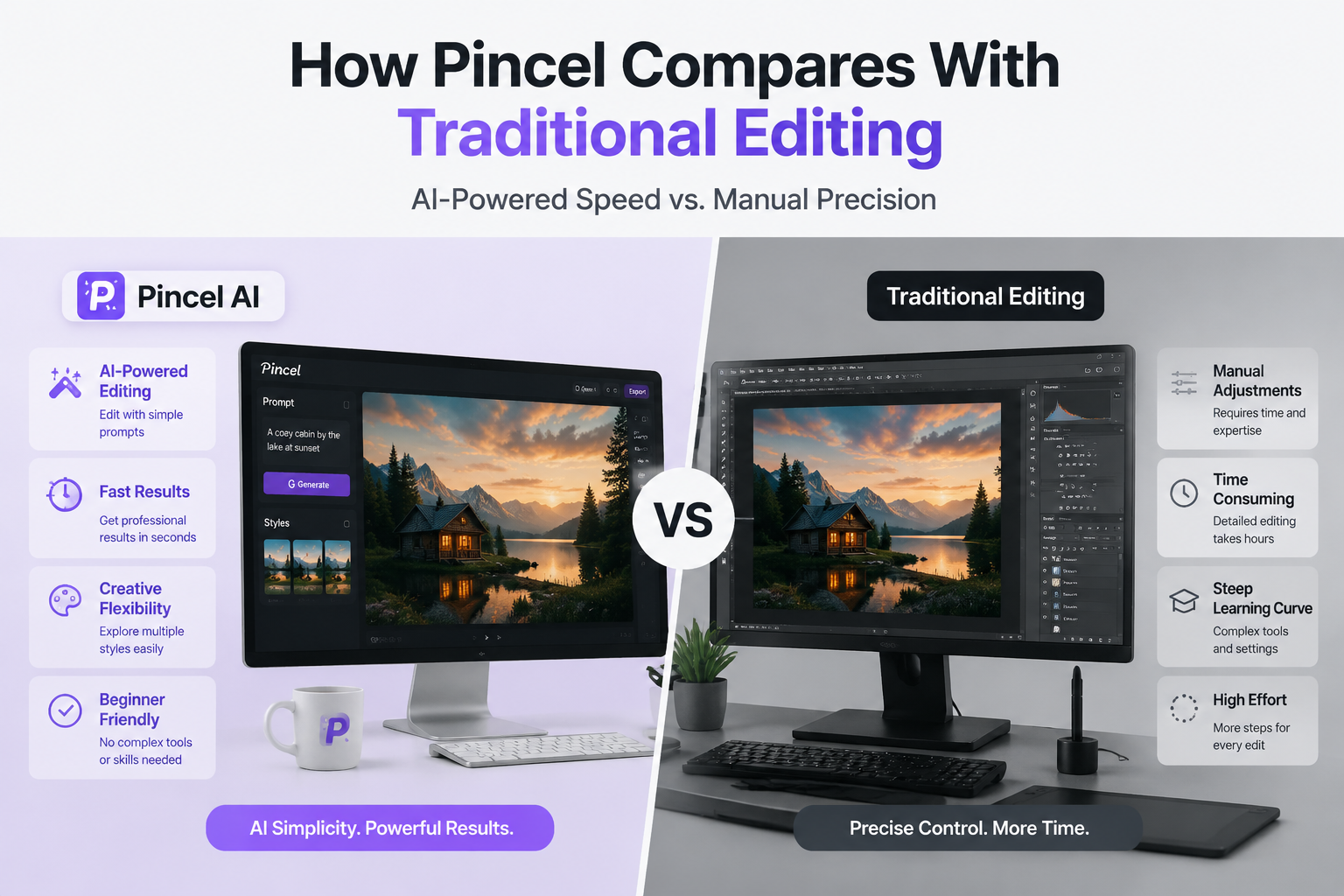
Traditional editing software still offers deeper manual control, but it usually takes more skill and more time. Pincel shifts the process toward speed and convenience, which is often better for routine content production. For many users, that tradeoff makes sense because the goal is to publish faster while keeping a clean visual standard.
What Makes Pincel Useful In 2026
In 2026, AI tools need to do more than sound innovative; they need to solve real workflow problems. Pincel’s appeal comes from its mix of simplicity, flexibility, and creative output. It fits the current trend where creators want one platform that can handle several editing tasks without making the process feel complicated.
Best Scenarios For Marketers And Brands
Marketers often need to test multiple visuals quickly, and Pincel can support that kind of work. It is especially helpful for campaign images, promotional graphics, and social media content where different versions may be needed for different audiences. That makes it a strong option for teams that want faster turnaround without losing visual quality.
When You Should Choose Another Tool
Pincel is not the right solution for every workflow. If your work depends on highly detailed manual retouching, advanced compositing, or professional post-production control, a traditional editor may still be better. The best choice depends on whether you value speed and accessibility more than technical precision.
How To Get Better Results Every Time
Good prompt writing matters a lot when using AI photo editors. The more clearly you describe your goal, the better the tool can interpret your request and deliver the result you want. It also helps to start with a clear source image, since better input usually leads to better output.
More Helpful AI Photo Resources
If you want to connect this article with related site content, your internal page can be placed naturally inside a paragraph rather than standing alone. For example, readers who want more practical visual editing topics can also explore the AI photo editor guide for additional related content.
Final Thoughts On Pincel AI
Pincel AI Photo Editor is a useful option for users who want quick, flexible, and modern image editing without a steep learning curve. Its prompt-based system, multi-purpose tools, and easy workflow make it relevant for creators in 2026. For people focused on speed, accessibility, and everyday content production, it is a tool worth considering.
FAQs
Is Pincel AI Photo Editor easy to use?
Yes, it is designed to be simple for users who want fast edits without learning advanced software.
Can Pincel handle business images?
Yes, it can be useful for product images, promotional graphics, and other marketing visuals.
Does Pincel replace professional editors?
Not completely. It is best for fast AI-based edits, while advanced manual work still needs traditional tools.

- How to Add Captions to Short Videos That People Actually Read - October 8, 2026
- 10 Step AI Search Content Optimization Checklist - October 6, 2026
- Competitor Visibility Tracker: How to Monitor Search and AI Visibility - August 22, 2026