
Google AI Overviews Rank Tracking: A Practical 2026 Guide
Your rank tracker says you hold position three. Your traffic report tells a different story. Somewhere between those two numbers sits a Google AI Overview, answering your customer’s question before they ever scroll to your link. If you are not tracking your visibility inside AI Overviews, you are reading last year’s scoreboard while playing this year’s game.
Google AI Overviews rank tracking means monitoring whether Google’s AI-generated answers appear for your target queries, whether those answers cite your pages, and how that visibility shifts over time. This guide walks you through the whole practice: starting with Google’s own free data, building a manual tracking log that actually works, and knowing exactly when a paid tool earns its price.
Why Your Rank Tracker Is Suddenly Lying to You
Since the May 2024 US launch, Google’s AI Overviews have become a permanent layer atop search results. For many informational queries, Google synthesizes an answer from several web pages and displays it above every organic listing, with source links attached.
This breaks traditional rank tracking in three specific ways. First, the overview pushes organic results below the fold, so position three no longer means what it used to. Research by Ahrefs, analyzing 146 million search results, found an average click-through-rate drop of 34.5% on queries where an AI Overview appears. Your ranking did not move. Your visibility did.
Second, the pages Google cites are not always the pages that rank highest. Google builds these answers with retrieval-augmented generation, pulling candidate pages from its own index and synthesizing them, plus query fan-out, which splits one complex question into several related sub-queries. A competitor at position eight can win the citation while you sit at position two, because their page answered one of the sub-questions better. Ahrefs found 76% of citations come from top-ten pages, with the median cited position at number two, which still leaves plenty of room for surprises.
Third, AI Overviews are non-deterministic. Run the same query twice and you can get two different overviews, or none at all. A tracker that scrapes the results page once a day and records a single snapshot will miss this entirely. Tracking AI Overviews is closer to weather forecasting than scorekeeping: you are watching patterns, not positions.
Traditional SEO is not dead. Google’s documentation is clear that appearing in AI Overviews needs no special tricks: a page must be indexed and eligible for regular search, per Google’s search essentials documentation. Useful content that already ranks is already eligible. What changed is measurement, so let us fix that starting with what costs nothing.
Start Free: What Google Search Console Already Tells You
On June 3, 2026, Google announced dedicated generative AI performance reporting inside Search Console, rolled out to websites worldwide by August 31, 2026. You will find it under Performance as “Generative AI features” (Google still labels it Beta). This is first-party data, straight from Google, and it costs nothing.
Here is what the report gives you: impression counts for your URLs inside Google’s generative AI experiences, broken down by page, country, device, and date. Here is what it does not give you: clicks, the triggering queries, or any position metric. It also merges AI Overviews and AI Mode into one count, so you cannot tell which surface produced the visibility. Read it as an impressions report, nothing more: it shows your page fed an AI answer, not whether anyone visited your site because of it.
You can squeeze one more insight out of it with a simple comparison, described in this Search Console AI reporting guide. Export AI impressions by page from the generative AI report, then export clicks and impressions by page from the standard Performance report for the same period.
Pages with heavy AI exposure but weak or falling clicks are where AI Overviews may be satisfying the query on the results page itself. That comparison does not prove causation, but it tells you exactly which pages deserve a closer manual look.
What Search Console cannot tell you is which queries trigger overviews for you, what the overview actually said, which competitors got cited instead, or how any of it changed week to week. For that, you need your own log.
The 15-Query Manual Log
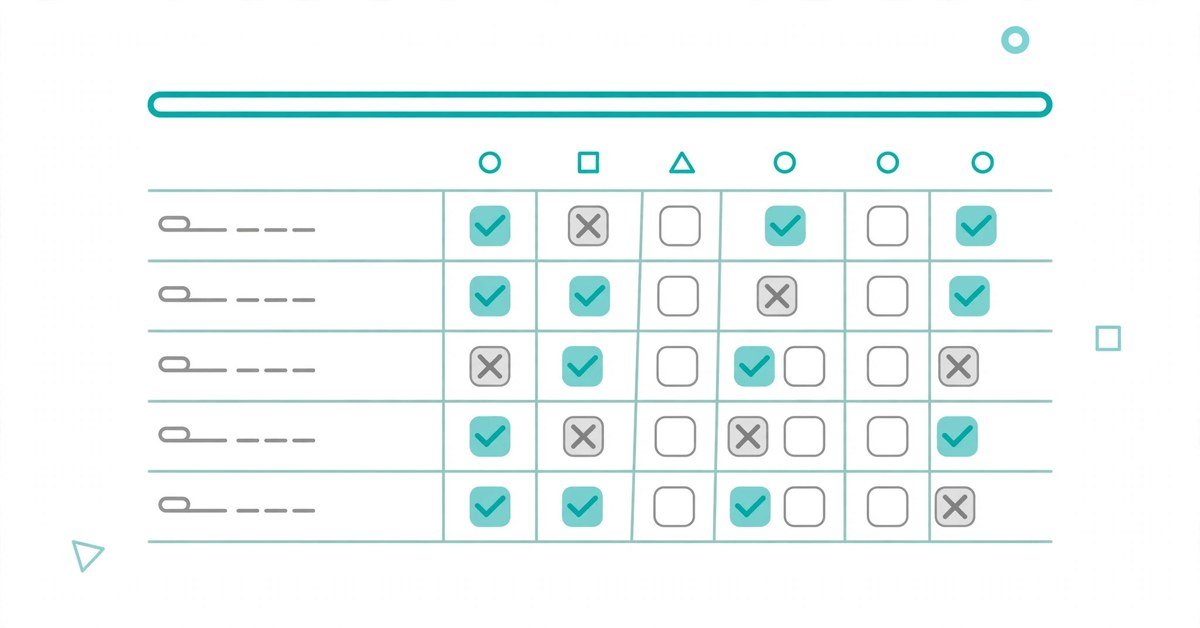
The cheapest reliable Google AI Overviews rank tracking system is a spreadsheet and twenty minutes a week. Fifteen queries is the sweet spot: enough to reveal patterns, small enough that you will actually maintain it.
Choose queries that map to money: your highest-value service pages, pre-purchase comparisons, the questions your sales team hears repeatedly, and a few branded queries. Skip navigational brand searches; they rarely trigger overviews.
Give your log these columns: query, date, overview present, your domain cited, cited URL, citation position, brand mentioned without a link, competitors cited, and notes. Each week, open a logged-out incognito window, search every query, and fill one row per query. Screenshot overviews that cite you or competitors; screenshots are your evidence when citations vanish.
Three rules keep the log honest. First, check on the same day each week, from the same location and device type your customers use. AI Overviews vary by wording, location, language, device, and time, so consistency is the only way to separate signal from noise.
Second, never judge from a single check. One search is a snapshot; four to six weekly checks make a trend.
Third, record the exact cited URLs, not just domain names. Knowing that a competitor’s pricing page keeps getting cited, rather than their homepage, is the difference between a vague worry and an actionable content brief.
After a month, patterns emerge on their own. You will see which queries reliably trigger overviews, where your site gets cited, and where competitors keep showing up instead. That is when the numbers start earning their keep.
Seven Numbers Worth Watching
You do not need all seven on day one. Start with the first three; add the rest once the habit sticks.
1. Trigger rate. The percentage of your tracked queries that produce an AI Overview at all. Trigger rate equals queries with an overview divided by total tracked queries, times one hundred. This tells you how much of your keyword portfolio even lives in AI Overview territory.
2. Citation coverage. Of the queries that trigger an overview, what percentage cite your domain? This is your headline metric. If you track twenty queries, twelve trigger overviews, and your site is cited in six of those, your citation coverage is fifty percent.
3. Competitor citation share. When you are not cited, who is? Tally which rival domains appear across your query set. One competitor appearing in forty percent of your tracked overviews is a strategic problem with a name on it.
4. Citation position. Where inside the answer does your link sit: the visible source cards, or buried behind an expand control? A citation nobody sees behaves like no citation.
5. Brand mention rate. How often the generated answer names your company, even without linking to you. Mentions build familiarity and deserve their own count.
6. Citation persistence. Of your last six weekly checks for a query, in how many did the citation survive? Present five weeks out of six is an asset. Present twice is weather.
7. Traffic impact. For pages with rising AI impressions in Search Console, what happened to clicks and conversions? This is the only metric connecting visibility to business value, and the one most teams skip.
What Your Numbers Are Trying to Tell You
Metrics are only useful when they point at decisions. Here is how to read the five patterns that show up most often.
Cited, but clicks are falling. Google is answering the query inside the overview and searchers feel no need to click. Check whether your cited page targets queries where a click still has value, such as comparisons or buying guides, rather than pure definitions. Sometimes the right move is accepting the citation as brand exposure and shifting effort further down the funnel.
Ranking in the top five, never cited. This is usually an intent mismatch, not an authority problem. Open the overview and read which pages Google actually cites for that query. The cited pages typically answer a narrower question than yours, with a direct definition or crisp list near the top. Match that specificity.
A competitor keeps getting cited instead of you. Read their cited page end to end and note the exact passage Google is likely pulling: a statistic, a definition, a step sequence. Then ask what evidence or clarity your competing page lacks. This is the clearest free content brief in SEO.
Citations flicker week to week. Do not redesign your content strategy around a single lost citation. AI-generated answers are volatile by nature. React to four-week trends, not Tuesday’s snapshot.
Your brand is mentioned but never linked. An uncited mention means Google trusts your brand enough to name but found a clearer page to link. Make sure you have one definitive page per topic that states the key facts plainly in the opening lines, so the mention has an obvious link target next time.
Knowing When to Pay for a Tool
Manual tracking breaks down somewhere between twenty and fifty queries, or the moment someone else needs your reports. Here is an honest comparison of the three approaches:
| Approach | Cost | Shows the query | Shows the full answer text | Shows competitor pages | History and alerts |
|---|---|---|---|---|---|
| Manual spreadsheet log | Free | Yes | Yes, via your screenshots | Yes, you record them | Only what you maintain |
| Search Console AI report | Free | No | No | No | Yes, impressions by date |
| Paid AI visibility platform | $29 to $400+ per month | Yes | Usually yes | Usually yes | Yes, with change alerts |
Pay for a platform when at least two of these are true: you track more than fifty queries, you report visibility to clients or a boss, you need the verbatim answer text across hundreds of prompts, or you need location and device splits you cannot check by hand. Keep the spreadsheet when none of those apply; money does not fix a process you have not built yet.
When you do shop, demand four capabilities before anything else: a per-engine split that isolates Google AI Overviews from ChatGPT and Perplexity, the full response text (not just a yes/no flag), the actual cited source URLs, and the specific competitor pages that won citations. A 2026 comparison of ten tracking tools found that only a handful deliver all four; most SEO suites merely log whether an overview appeared and leave you guessing why you were not in it.
Current options span a wide range. Otterly.AI starts around $29 per month and covers Google AI Overviews on every plan, making it the cheapest honest entry point. Searchable sits near $125 per month with broad engine coverage. Nightwatch, built for teams coming from rank tracking, starts at 79 euros per month.
Semrush tracks AI Overviews inside Position Tracking from the $199 tier upward, which makes sense only if you already pay for Semrush. SE Ranking requires its base plan plus an $89 monthly AI add-on. Ahrefs Brand Radar, at roughly $398 per month, is a research database of hundreds of millions of prompts rather than a monitor for your own query set, while Profound targets enterprise programs near $399 per month. Treat every price here as reported in August 2026 and verify current pricing before buying.
If your tracking also needs to cover conversational AI Mode separately from classic AI Overviews, note that the two surfaces can cite different pages for similar questions. Our guides to AI Mode rank trackers, AI Mode tracking software, and the broader set of AI search visibility tools break down which platforms handle each surface well.
From Tracking to Being Cited
Tracking diagnoses; content cures. The loop is simple: your log reveals which queries cite competitors, you read the cited pages, and you close the specific gap, whether that is a missing definition, a weaker example, or buried key facts. Google asks for nothing secret here, just indexed pages eligible for regular search, so the winners tend to be pages that open with direct answers and pack verifiable specifics. For the full playbook on becoming the source AI answers quote, see how to get cited by ChatGPT and how to optimize for Perplexity AI.
AI Overviews Tracking Questions, Answered
Can Google Search Console track my AI Overview rankings?
Partially. The Generative AI features report shows impressions for your pages inside AI Overviews and AI Mode, broken down by page, country, device, and date. It does not show clicks, the triggering queries, or positions, and it merges AI Overviews with AI Mode. Use it for first-party impression data, then track queries and citations yourself or with a dedicated tool.
How often should I check my AI Overview citations?
Weekly. Daily checks produce noise you will overreact to; a weekly rhythm over four to six weeks reveals real trends in trigger rates, citation coverage, and competitor movement.
Why does the same query show a different AI Overview each time I search?
Google generates these answers dynamically, so fan-out, fresh index data, location, device, and system changes can produce a different answer, different sources, or no overview at all. One-off checks are meaningless; consistent tracking is what matters.
Do I need to rank number one to get cited in an AI Overview?
No. Large-scale analyses find the large majority of citations come from pages already ranking in the top ten, with the median cited position around number two. Ranking on page one for the query is the realistic prerequisite; the number one spot is not required.
Are AI Overview citations worth tracking if they do not bring clicks?
Often yes, but measure honestly. A citation puts your brand in front of searchers before they visit any result. Track brand mentions alongside citations and watch whether cited pages hold their traffic: a citation is a visibility signal, not a guaranteed traffic source.
Your First 30 Days of Google AI Overviews Rank Tracking
In week one, open the Search Console AI report, note which pages already earn AI impressions, pick your fifteen queries, and set up the spreadsheet. In week two, run your first two manual checks and screenshot everything. In week three, compute trigger rate and citation coverage and list every competitor citation. In week four, look for patterns: queries that never trigger overviews, citations competitors own, and cited pages that lost clicks.
At the end of those thirty days you will know something most site owners do not: exactly where you stand inside Google’s AI answers, measured rather than guessed. If the spreadsheet starts feeling small, your own data will tell you precisely which tool capabilities you need. That is what good Google AI Overviews rank tracking buys: not a dashboard, but better decisions.
And if your tracking extends beyond Google to ChatGPT itself, our comparison of the best ChatGPT SEO tracking tools covers the platforms built for that side of AI search.

- AI Tools for Content Creators: The Complete Creator Stack (2026) - October 22, 2026
- Chat GPT Prompts: 155+ Copy-and-Paste Prompts for Work, Study and Fun - October 22, 2026
- Best AI Photo Editor App in 2026: Top Picks for Android and iPhone - October 22, 2026