

AI for Writing: How to Write Faster With AI, Step by Step
Most people open an AI assistant, type “write me an article about X,” and get back something flat, generic, and strangely confident. Then they decide the tool is a mediocre writer. In most cases the tool is not the problem. The missing piece is a process. Good results with AI for writing come from treating the assistant the way an editor treats a fast junior writer: you plan the piece, brief it properly, draft in stages, edit with a firm hand, and check every fact before anything is published.
This guide walks through that workflow stage by stage, with a copy-ready example prompt for each one. It works for blog posts, newsletters, reports, product pages, and long emails. It also works in any modern AI assistant. If you are still choosing one, our roundup of the top AI platforms for writing compares the main options. Pick one, then come back here, because the process matters far more than the platform.
Why a Workflow Beats a Single Prompt
A one-shot prompt forces the model to guess everything you left out: who the reader is, what the piece must achieve, which facts matter, and how you sound. It fills those gaps with the most average choices available, which is why so much AI text reads like everyone and no one at the same time. It is also the honest answer to why does ai write like that: it predicts the most likely next words, and the most likely words are rarely the most interesting ones.
A workflow fixes this by splitting the job into stages, each with a clear purpose and a moment where you stay in control. You make the decisions that require judgment. The AI does the heavy lifting that requires speed: generating options, expanding notes, restructuring paragraphs, and spotting weak spots. That division of labour is the whole secret. Industry roundups of AI writing tools increasingly land on the same conclusion: the winning setup is hybrid, with AI handling first drafts and humans keeping voice, judgment, and the final edit.
How You Should Use AI for Writing: The Yes and No List
The workflow in one short list:
Yes:
- Plan the piece and approve an outline before any drafting.
- Brief with your own notes, facts and a sample of your voice.
- Draft one section at a time, and ask for two versions of key paragraphs.
- Edit for voice yourself, then fact-check every specific claim.
No:
- Do not ask for a finished article in a single prompt.
- Do not publish a first draft, however clean it reads.
- Do not let the model invent facts, quotes or sources to fill gaps.
- Do not skip the read-aloud pass before publishing.
Stage 1: Plan Before You Prompt
Planning takes five minutes and saves an hour of rewriting. Before you ask the AI for anything, write down four things:
- The reader: one specific person or role, not “anyone interested in the topic.”
- The one point: the single idea the reader should remember tomorrow.
- The format: article, email, report, or script, plus a rough length.
- The action: what the reader should do, think, or feel differently afterwards.
Only then bring in the AI, and use it to pressure-test the plan rather than replace it:
- I am writing a [format] for [audience] about [topic].
- The one point I want readers to remember is [your point].
- Suggest five different angles for this piece.
- Then turn the strongest angle into an outline with a headline, subheadings, and one line on what each section needs to prove.
- Flag anything in the outline that would need a reliable source.
Read the outline like an editor. Move sections, delete the ones that wander, and add the points the model could not know, such as your product details, your market, or your reader’s real objections. An outline you have approved is the contract every later stage follows. This planning stage is also the natural home of chatgpt for brainstorming: used this way, ai for brainstorming widens your options at the start, then hands control straight back to you.
Stage 2: Brief the AI Like a Human Writer
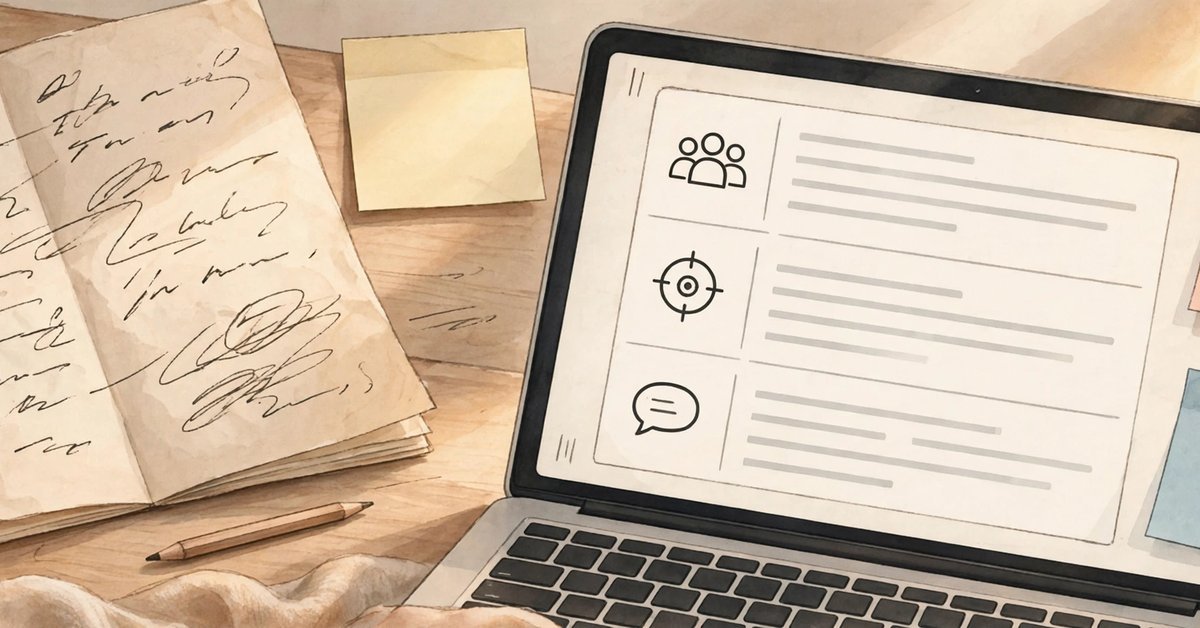
Writers produce generic text when they receive vague briefs, and AI assistants are no different. A useful brief has six parts:
- Task and format: what you are making and how it will be structured.
- Audience: who reads it and what they already know.
- Goal: the one point from your plan, stated plainly.
- Source material: your notes, facts, figures, and examples. This is the most important part.
- Voice: two or three short paragraphs of your own published writing, pasted in as a sample.
- Constraints: target length, words or phrases to avoid, and anything that must not change.
The source material deserves emphasis. When the AI drafts from your notes, it repeats your facts and echoes your phrasing. When it drafts from nothing, it invents filler. Paste the messy notes. They are doing more work than any clever prompt wording. A brief can look like this:
- Draft the introduction for an article aimed at small business owners who write their own marketing emails.
- Goal: convince them that a plain, specific email beats a clever one.
- Use only the facts and examples in my notes below.
- Match the voice of the sample paragraph I have included.
- Keep it under 150 words, avoid hype words like ‘revolutionary’ and ‘game-changer,’ and end with a question to the reader.
- Here are my notes: [paste notes].
- Here is my voice sample: [paste sample].
Save your best briefs. A brief that works for a blog post will work again next week with new notes, and a small library of briefs is worth more than a folder of one-off prompts.
Stage 3: Draft in Sections, Not All at Once
Asking for a complete article in one reply produces the weakest version of it: rushed endings, repeating points, and sections that quietly contradict each other. Draft one section at a time instead. Each request stays small, the model keeps your brief in focus, and you can correct direction early, when corrections are cheap.
A reliable pattern for each section:
- Using the brief and outline above, draft only the section titled [heading], in about [number] words.
- Use my notes for every fact.
- Write in the voice of the sample.
- Finish with one sentence that leads naturally into the next section, [next heading].
- Do not write any other section yet.
For important paragraphs, especially the opening and the closing, ask for two versions and choose. Keep a separate document open for cut material; the paragraph that does not fit this article often becomes the seed of the next one. By the end of this stage you should have a complete draft that follows your plan, in roughly your voice, built from your material. It will still not be good. That is what the next stage is for.
Stage 4: Edit the Draft Into Your Own Voice (How to Get AI to Write Like a Human)
Treat the draft as raw material, never as the finished piece. This stage is the practical answer to how to make ai not sound like ai. The edits that matter most are the ones only you can make:
- Cut the throat-clearing. Delete warm-up sentences that announce what the text is about to say instead of saying it.
- Replace general claims with your specifics. Swap “many businesses struggle with this” for the actual situation, number, or example from your notes.
- Vary the rhythm. AI drafts tend toward sentences of similar length in a steady march. Break some up, merge others, and let a short sentence land where you want emphasis.
- Use your real vocabulary. If a word would never come out of your mouth, it should not stay in your article.
- Read it aloud. Any sentence you stumble over, your reader will stumble over too.
The AI can help here as well, as long as it critiques rather than rewrites. Whether you take notes by hand or ask one of the best AI tools to flag problems for you, the rule stays the same: the AI suggests, you decide.
- Read this draft as a skeptical editor.
- List the three weakest paragraphs and explain why each is weak.
- Point out any sentence that sounds generic enough to appear in any article on this topic.
- List every claim that needs a source.
- Do not rewrite anything yet.
One more editing reference is worth knowing: Wikipedia’s editors maintain a public guide, the Wikipedia AI writing signs list, built from thousands of flagged pages. Its patterns, such as inflated claims, formulaic transitions and suspiciously even rhythm, make a good final checklist for this stage.
Stage 5: Fact-Check Before You Polish
This is the stage people skip, and it is the one that protects your reputation. AI assistants can present wrong information in a calm, confident tone, including invented dates, misattributed quotes, and references that do not exist. Fluent is not the same as true.
Check these items in every draft, without exception:
- Names of people, companies, and products, including spelling.
- Dates, figures, and any statistic, especially ones the AI supplied itself.
- Quotations: confirm the person actually said or wrote them.
- Citations and links: open every single one. If a link does not lead to the claim, the claim comes out.
- Any statement you would not be comfortable defending in a comment thread.
A useful trick is to make the model audit its own work, acting as a writing feedback ai: ask it to list every factual claim in the draft as a checklist and mark the ones it is unsure about. Then verify those claims yourself against primary sources, such as official documentation, the original study, or the company announcement. The AI is a research assistant here, never the final authority.
Stage 6: Polish, Format, and Publish
With the facts verified, do one last pass for the reader’s experience. Write the headline last, now that you know exactly what the piece delivers. Check that each section still serves the one point from your plan. Break up long paragraphs, make sure subheadings describe what follows them, and read the whole piece aloud once more. If a sentence survives all of that, it has earned its place.
Once this routine feels natural, you can speed up individual stages with specialised helpers: an ai content editor can speed up the critique pass from Stage 4, for example. Our free AI tools page is a good place to browse helpers for outlining, editing, and research support, but add tools to a working process, not instead of one.
If the piece is going on your website, read Google’s guidance on AI-generated content before you publish: it rewards helpful, original content written for people, whatever tools helped draft it.
Common Mistakes When Using AI for Writing
- Asking for the finished article in one prompt, then blaming the tool for the average result.
- Providing no source material, which forces the model to fill gaps with generic filler.
- Publishing the first draft, uniform rhythm, favourite filler phrases, and all.
- Skipping the fact-check because the text sounds plausible.
- Chasing a voice that is not yours, by asking the AI to imitate a famous writer instead of feeding it your own samples.
- Editing by regeneration, asking for a whole new draft instead of fixing the specific paragraph that fails.
Workflow Questions Writers Ask Most
How much of the writing should the AI actually do?
Let it do the labour, not the thinking. Outlines options, first drafts, restructuring, and critique are good AI jobs. Choosing the point, supplying the facts, and making final edits are yours. If the published piece contains a judgment, it should be one you can stand behind. That balance is what makes chat gpt for writing articles practical: the model supplies speed and options, you supply judgment.
What if the draft still does not sound like me?
Usually the brief is the problem. Add a voice sample of your own writing, name the phrases you never use, and draft in smaller sections so drift gets caught early. Voice is much easier to protect stage by stage than to repair at the end.
Does this workflow work for short pieces like emails?
Yes, in compressed form. For an email you can plan in one line, brief in two sentences, draft once, and still do the voice edit and fact-check. The stages shrink, but skipping them entirely is what produces the generic messages people ignore.
Does my writing sound like AI, and how can I tell?
Read it aloud and look for the tells: sentences that all run the same length, claims with no specific detail behind them, and transitions that announce structure instead of adding meaning. If a paragraph could sit in any article on the topic, it will sound like AI. Swap in your own examples, numbers and phrasing until it could only be yours.
Which facts in an AI draft should I check first?
Start with anything specific: numbers, dates, names, quotes, and claims about what a product or study says. General background statements are lower risk, but any detail a reader could repeat to someone else deserves thirty seconds of verification.
Speed Is the Bonus, Voice Is the Point
Using AI for writing well is not about finding a magic prompt. It is about a repeatable routine: plan the piece, brief the assistant properly, draft in sections, edit into your own voice, and verify every fact. Each stage is quick, and together they turn a tool that produces average text into one that produces your text, faster. Start with the next thing you have to write, run it through all six stages, and judge the workflow by how little of the final piece you had to rescue.

- AI Tools for Content Creators: The Complete Creator Stack (2026) - October 22, 2026
- Chat GPT Prompts: 155+ Copy-and-Paste Prompts for Work, Study and Fun - October 22, 2026
- Best AI Photo Editor App in 2026: Top Picks for Android and iPhone - October 22, 2026









Pingback: Best AI Tools In 2026: 25+ Tools Worth Using, By Category