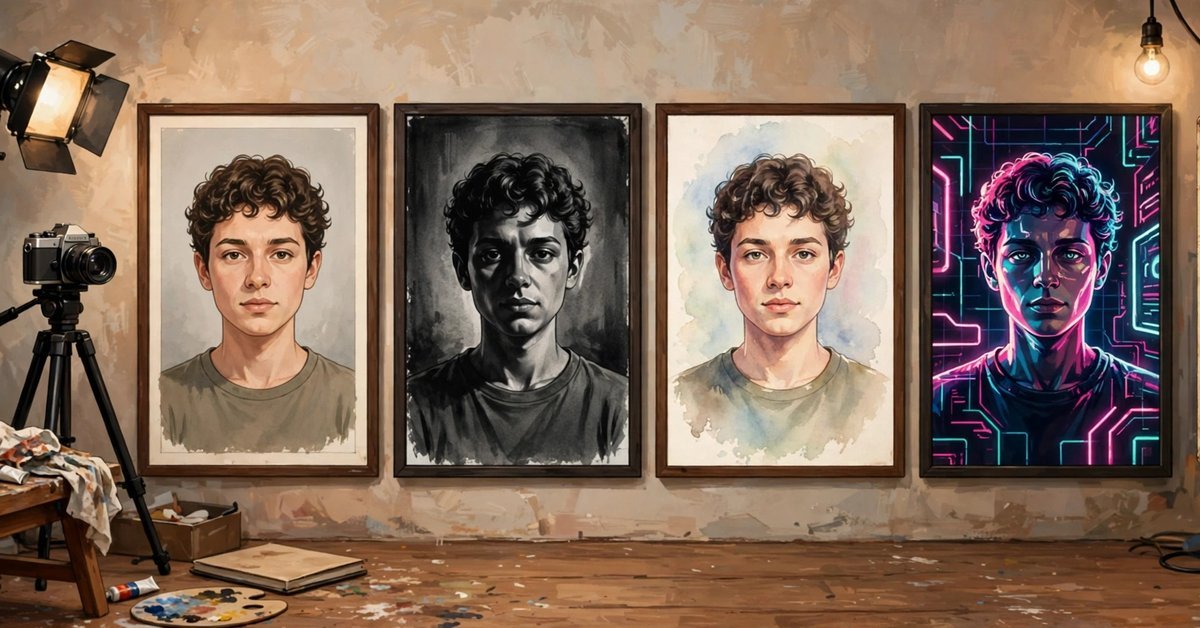
Best ChatGPT Prompts for Self Portraits: 25 Copy-Paste Photo Prompts
How ChatGPT Self Portrait Prompts Work
A clear selfie and the right words can give you a studio headshot, a film still, or a painted portrait. ChatGPT restyles an uploaded photo while keeping your face recognisable, as long as the prompt says what to keep and what to change.
- Upload a clear photo of yourself in a new conversation.
- Paste a prompt from below, swapping any details for your own.
- Review it, then iterate with follow ups like “soften the background.”
If a result drifts from your face, restart from the original instead of editing the edit. The styles below range from professional headshots to painted, vintage, and retro looks. For other prompts, browse our library of ChatGPT prompts.
What Makes a Good Input Photo
The model can only preserve what it can see, so the starting photo matters most. Every prompt below assumes a photo that passes these checks.
- One person only, face uncovered: no sunglasses, hats, or hands.
- Front facing or a slight angle, eyes to camera.
- Even, natural light, not harsh overhead light or a dim room.
- Sharp and high resolution. Blurry in, blurry out.
- A relaxed, neutral expression suits more styles than a grin.
25 Copy-Paste ChatGPT Prompts for Self Portraits
Each prompt below is ready to paste and includes a keep clause. Strengthen it by naming your glasses, facial hair, or a distinctive mark.
- 1. Professional Studio Headshot.
Turn my uploaded photo into a professional studio headshot. Keep my face, skin tone, and hair exactly the same. Put me in a tailored navy blazer against a seamless light grey backdrop, with soft studio lighting. Use it for: Company sites and speaker pages. Recolour the blazer to match your brand. This is the safest first try in the list. - 2. LinkedIn Profile Portrait.
Edit my uploaded photo into a clean LinkedIn profile portrait. Keep my facial features, expression, and hairstyle unchanged. Replace the background with a blurred modern office, dress me in a smart blazer, and use bright, even lighting. Use it for: Job hunting and networking. Request a warmer backdrop for a friendlier feel. - 3. Corporate Team Matching Set.
Restyle my uploaded photo to match a corporate team page. Keep my face and hair exactly as they are. Give me a charcoal blazer, a white background, and flat, even studio lighting. Head and shoulders, friendly expression. Use it for: Team pages. Run the identical prompt for every colleague. One shared prompt keeps the whole set consistent. - 4. Cinematic Movie Still.
Transform my uploaded photo into a cinematic movie still. Keep my face and identity recognisable. Use dramatic side lighting, shallow depth of field, and teal and amber grading. Dress me in a dark coat on a street at dusk. Use it for: Dramatic covers. Try a rainy neon street instead. - 5. Film Noir Detective.
Edit my uploaded photo into a black and white film noir portrait. Keep my facial features exactly the same. Light one side of my face through venetian blind shadows, dress me in a dark suit and fedora, with smoky 1940s style. Use it for: Bold avatars. Remove the fedora for mood without costume. - 6. Black and White Editorial.
Convert my uploaded photo into a black and white editorial portrait. Keep my face shape, skin texture, and expression unchanged. Use strong directional light, deep shadows, and a plain dark background, framed like a magazine cover. Use it for: Author and speaker bios. A white backdrop gives a brighter version. - 7. 1920s Gatsby Glamour.
Transform my uploaded photo into a 1920s glamour portrait. Keep my face recognisable and my features unchanged. Style my hair in period waves, dress me in elegant evening wear, and use soft, glowing light with a warm sepia finish. Use it for: Themed parties. Add art deco patterns for a stronger period feel. - 8. 1950s Hollywood Portrait.
Edit my uploaded photo into a 1950s Hollywood portrait. Keep my face exactly as it is. Give me polished period styling and formal clothing against a gradient backdrop, with bright glamour lighting and rich black and white tones. Use it for: Timeless avatars. Ask for colour for a Technicolor version. - 9. 1970s Warm Film Look.
Turn my uploaded photo into a 1970s film portrait. Keep my face and features unchanged. Add warm golden tones, soft grain, and faded colours. Dress me in retro clothing and use warm afternoon light, like an old album print. Use it for: Nostalgic posts. Name a setting to anchor the decade. - 10. 1990s Disposable Camera Flash.
Transform my uploaded photo into a 1990s disposable camera snapshot. Keep my face recognisable. Use direct on-camera flash, washed out colours, visible grain, and a casual party background, framed loosely like a candid photo a friend took. Use it for: Casual feeds. This one is the most forgiving of a weaker starting photo. - 11. Golden Hour Outdoor Portrait.
Edit my uploaded photo into a golden hour outdoor portrait. Keep my face, skin tone, and expression exactly the same. Place me in warm sunset light with a soft glow on my face and a blurred natural background. Use it for: Dating profiles. Try a beach or rooftop setting. For an unfiltered look, this is the most realistic option here: real light, real setting, no costume. - 12. Soft Window Light Portrait.
Turn my uploaded photo into a soft window light portrait. Keep my facial features and skin texture unchanged. Seat me beside a large window with diffused daylight from the left, a calm background, and quiet, natural colours. Use it for: Approachable brands. Mirror the light direction to match your room. - 13. Neon Cyberpunk Night.
Transform my uploaded photo into a cyberpunk night portrait. Keep my face and skin tone recognisable. Light me with magenta and cyan neon signs, add a rain slicked street behind me, and dress me in a dark futuristic jacket. Use it for: Gaming avatars. Keep hands out of frame; neon tangles fingers. - 14. High Fashion Editorial.
Edit my uploaded photo into a high fashion editorial portrait. Keep my face exactly as it is. Use bold directional lighting, a striking solid colour backdrop, and a structured outfit with strong lines and a confident pose. Use it for: Creative portfolios. Pick the backdrop colour yourself to avoid clashes. - 15. Watercolor Painting.
Paint my uploaded photo as a watercolor portrait. Keep my face clearly recognisable, with the same features, expression, and hairstyle. Use soft pigment washes, paper texture, and gentle colour bleeding at the edges on an off white background. Use it for: Gifts and gentle art. Request stronger eye detail if likeness fades. - 16. Classic Oil Painting.
Turn my uploaded photo into a classic oil painting portrait. Keep my likeness accurate, with the same face, expression, and hair. Use rich brushstrokes, deep warm colours, and a dark background in old master style. Use it for: Statement profiles. A lighter backdrop feels friendlier. - 17. Anime Portrait.
Transform my uploaded photo into an anime portrait. Keep my hairstyle, hair colour, glasses, and face shape so I am still recognisable. Use clean line art, expressive eyes, soft cel shading, and a simple pastel background. Use it for: Gaming profiles. For a drawn twist, a caricature version of your portrait is worth trying. - 18. 3D Animated Character.
Edit my uploaded photo into a 3D animated film character portrait. Keep my hairstyle, face shape, and expression so the character still looks like me. Use soft skin shading, expressive eyes, and warm cinematic lighting. Use it for: Playful avatars. Describe your hairstyle precisely; it carries the likeness. - 19. Old Money Quiet Luxury.
Transform my uploaded photo into an old money style portrait. Keep my face and features unchanged. Dress me in a cashmere sweater or blazer in muted tones, set me in an elegant library with soft, refined light. Use it for: Premium, understated profiles. A country garden lightens the mood. - 20. Street Style Editorial.
Edit my uploaded photo into a street style editorial portrait. Keep my face and identity recognisable. Dress me in a layered urban outfit against a brick wall, with crisp daylight and strong shadows, like a fashion week photo. Use it for: Fashion content. It also suits three quarter framing. - 21. Festive Celebration Portrait.
Transform my uploaded photo into a festive celebration portrait. Keep my face, skin tone, and expression exactly the same. Dress me in an elegant festive outfit with rich colours, and add warm string lights in the background. Use it for: Holiday cards. Name your festival or colours for accuracy. - 22. Royal Portrait.
Edit my uploaded photo into a royal portrait. Keep my face recognisable and unchanged. Dress me in formal embroidered clothing, seat me on an ornate chair in a grand hall, and use dramatic, painterly lighting. Use it for: Grand statements. Frame chest up to avoid hand errors. - 23. Minimalist Pastel Studio.
Turn my uploaded photo into a minimalist pastel studio portrait. Keep my face, hair, and skin tone exactly the same. Use a soft peach background, even diffused light, and a plain top in a deeper shade. Use it for: Quiet profiles. Choose a pastel that flatters your skin tone. - 24. Renaissance Painting Portrait.
Transform my uploaded photo into a Renaissance painting portrait. Keep my likeness true, with the same face and expression. Dress me in period clothing with rich fabrics, and use soft directional light against a dark background. Use it for: Art lovers. A three quarter pose looks most classic. - 25. Retro Instant Photo.
Edit my uploaded photo into a retro instant photo portrait. Keep my face recognisable and my expression natural. Use the soft contrast, slight colour shift, and gentle blur of an instant camera, framed with a white border. Use it for: Scrapbook posts. Pair with the 1970s prompt.
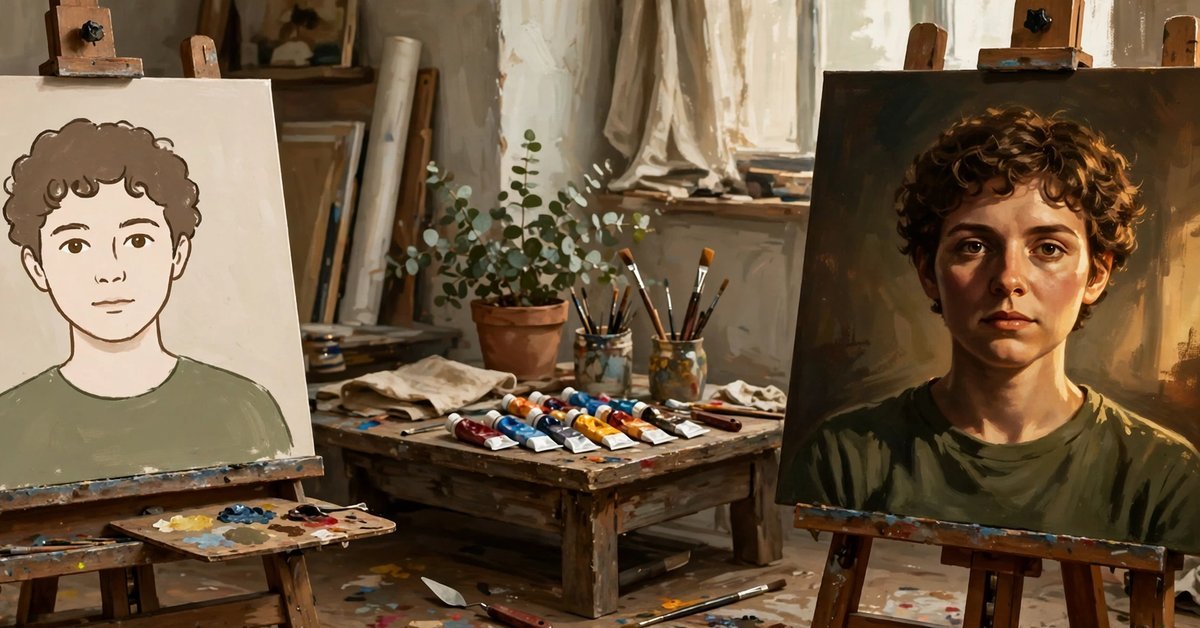
How to Get Cleaner Results From Every Prompt
Use lighting words on purpose. Lighting drives the mood: try soft window light, golden hour glow, or dramatic side lighting. One light source per prompt keeps faces clean. A prompt without a lighting word usually disappoints, so name one every time.
Add framing and detail instructions. Ask for head and shoulders, a square 1:1 crop for profiles or vertical 4:5 for posts, and sharp focus on the eyes. If skin looks plastic, add “natural skin texture, no beauty filter.” For heavier clean up, try an AI photo editor instead.
Fix the common failures directly. Distorted hands are the most frequent flaw, so frame from the chest up or add “hands out of frame.” If your face drifts, re-upload the original and change one thing at a time.
Keep expectations honest. Identity preservation is imperfect. Painted and avatar styles trade likeness for style, and most people need two or three attempts. Never use one where a genuine photo is required, such as ID verification.
Self Portrait Prompt Questions, Answered
Do these prompts work on the free version of ChatGPT?
Yes. The free version of ChatGPT can do this too, although free daily limits are lower and can change. Start with your best photo so early attempts count.
How do I stop ChatGPT from changing my face?
Lead with the keep clause, name features that matter (glasses, facial hair, a mole), and change one thing per prompt. If it still drifts, restart from the original upload.
Why do hands and fingers look wrong in my portrait?
Hands are among the hardest things for image models to draw. Frame from the chest up, keep hands out of frame, or regenerate.
Can I use these portraits on LinkedIn or for business?
Generally yes. Check employer and platform rules, disclose AI generation where required, and never use one where an unedited photo is mandatory.
Start With One Photo and One Prompt
You now have 25 prompts to try, from a boardroom headshot to a Renaissance painting. Pick the style that fits where the picture will live, and judge the result against your real face before posting. Keep the two or three that flatter you most and reuse them whenever you need a fresh profile picture.
- AI Tools for Content Creators: The Complete Creator Stack (2026) - October 22, 2026
- Chat GPT Prompts: 155+ Copy-and-Paste Prompts for Work, Study and Fun - October 22, 2026
- Best AI Photo Editor App in 2026: Top Picks for Android and iPhone - October 22, 2026