
ChatGPT Deep Research Explained: How It Works, Checks Sources and Limits
ChatGPT Deep Research is not a faster chatbot reply. It is a research mode inside ChatGPT that plans a question, searches many sources, compares what it finds, and returns a structured report with citations you can check. That difference changes when you should use it, how long you should expect to wait, and how much checking the result still needs. Used well, it is a strong starting point for ChatGPT for research. Used carelessly, it can produce a confident looking report that still needs verification.
This guide explains what Deep Research does, how it works step by step, how to check its sources and limits, and how it differs from a normal ChatGPT answer and from Gemini Deep Research. Availability varies by plan and by country, so check the in-product details on your own account rather than relying on an old limit quoted elsewhere.
What ChatGPT Deep Research Actually Does
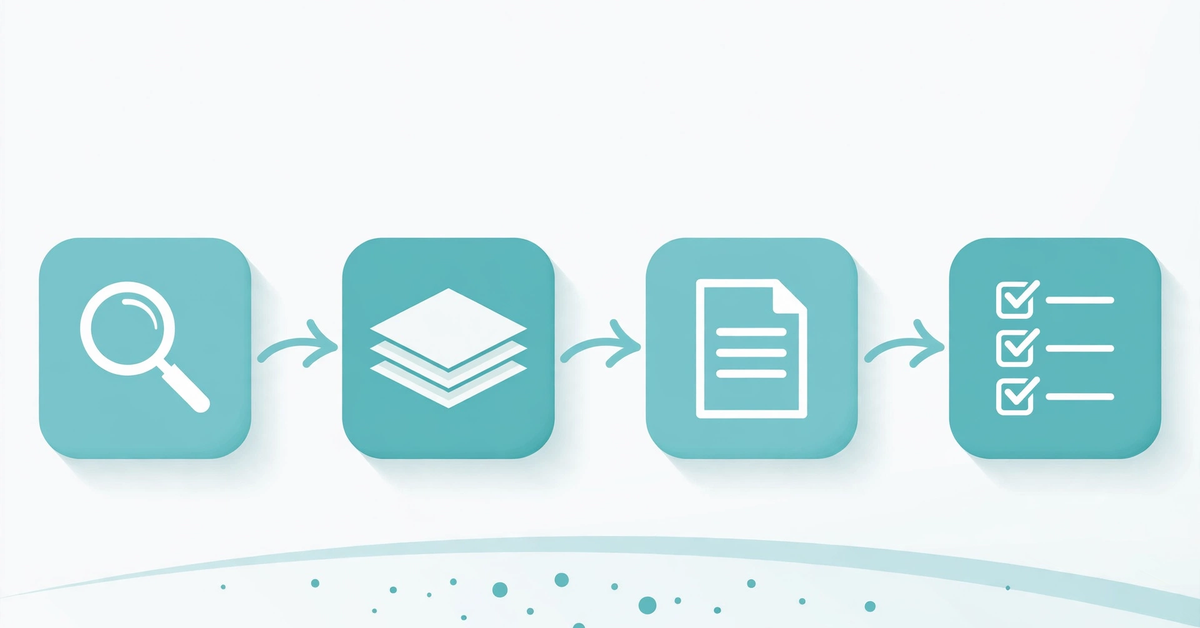
Deep Research is an agent mode, not a single answer. Given a complex question, it breaks it into smaller research threads, searches the public web, reads relevant pages, and synthesizes the findings into a documented report. It can also work with files you upload, search specific sites you choose, and use enabled ChatGPT apps where your plan, workspace settings, and permissions allow. The finished report includes a table of contents, a sources section, and an activity history, and it can be downloaded in formats including Markdown, Word, and PDF.
The practical test is simple. If a question can be answered from one or two pages, a normal reply or quick search is enough. If answering it properly means reading dozens of pages and organizing the result into a brief, Deep Research is the right tool. Typical uses include market background, competitor landscapes, policy summaries, literature overviews, and buying research where the decision deserves more than a short answer.
It does not do everything. It cannot read paywalled journals, subscription databases, or private sources unless you provide the material or your account has a supported connected source with permission to use it. It does not replace a primary source or a professional adviser on health, legal, or financial decisions. Treat its report as background research that points you to evidence, not as a verdict.
Normal Chat, Search, and Deep Research at a Glance
| Mode | Best for | What you get | Typical wait |
|---|---|---|---|
| Normal chat | Explanations, drafting, brainstorming | One conversational reply | Seconds |
| Search | Quick facts and recent news | Short summary with links | Seconds |
| Deep Research | Multi-step questions needing many sources | Structured, cited report | Minutes, often 5 to 30 |
One distinction answers the chatgpt thinking vs deep research question. Thinking in a normal chat gives you a single reasoned reply. Deep Research runs a multi-step investigation across sources and returns a documented report. If you only need reasoning about a problem you already understand, thinking is enough. If you need evidence gathered from across the web, choose Deep Research.
How Deep Research Works, Step by Step
The workflow below follows OpenAI’s Deep Research help page. A vague prompt produces a broad report, so give it a clear outcome, audience, and limits.
- Start the task. Type /Deepresearch in the prompt box, choose Deep research from the tools menu, or select it from the sidebar.
- Describe the outcome, not just the topic. State the question, the decision the report supports, the audience, and the timeframe. Ask for recent electric vehicle charging trends for a small business decision, with opportunities, risks, and 3 to 5 actionable insights.
- Choose your sources. By default, Deep Research can use the public web and files you upload. You can also restrict research to specific sites, or prioritize chosen sites while still allowing a full web search. Use full web search for discovery, and restrict sites when a report must be built only from named sources.
- Review the plan. ChatGPT may ask follow-up questions, then shows a proposed research plan. Read and edit it before research begins. This is your best chance to fix a wrong scope or add a missing angle.
- Steer while it runs. You can watch progress and interrupt the run to refine the focus, including adjusting which sources it can access.
- Review the finished report. Use the table of contents to navigate, check the sources section before quoting anything, then ask follow-up questions or request a shorter summary or deeper coverage of one section.
One prompt habit improves most reports: ask for a short section on gaps, disputed points, or claims the sources do not agree on. That section reveals where the evidence is thin. Avoid asking for everything at once, which produces a long but shallow report. Split a huge topic into two focused tasks, and name the options and criteria whenever the report is meant to support a choice.
How to Check Sources and Limits Before You Trust a Report
Citations are the main reason Deep Research is useful, but a citation is only a starting point. A report can cite a real page and still summarize it loosely or lean on a weak source. Start with the strongest claims: numbers, dates, rankings, prices, and anything you plan to repeat in public. Open the cited source for each one and confirm the number and its context. If a claim has no citation, treat it as unverified until you confirm it yourself. Prefer primary sources, official pages, and established publications over content farms and pages that merely repeat another AI summary. If two credible sources conflict, say so in your own work instead of picking the version that suits you.

That discipline also explains how ChatGPT chooses its sources. It follows the research plan, the sites you allowed or prioritized, and the files and connected apps available to your account. It has no fixed list of approved sources for every topic, so narrowing sites and naming the source types you want, such as official statistics or company filings, gives you more control.
Limits need the same direct check. Deep Research usage varies by plan, and the reliable answer to how many Deep Research queries you get per month is in your own account: the in-product usage counter shows your remaining tasks. For plans with a fixed monthly allowance, the allowance resets every 30 days from the date of your first use. So to check your Deep Research usage in ChatGPT, open that counter before starting a large project, and do not spend a limited task on a question a normal search could answer in seconds. Availability also varies by country and by workspace settings, so a missing connected app is usually a permissions issue, not a prompt problem.
ChatGPT Deep Research Compared With Gemini Deep Research
Gemini Deep Research is Google’s version of the same idea: a multi-step research mode that turns a question into a research plan, lets you edit that plan, searches and reads sources, and returns a detailed cited report. Google’s Gemini help pages say a typical Gemini report takes about 5 to 10 minutes, with longer runs possible for complex work. That timing overlaps with ChatGPT Deep Research, so speed alone is a weak reason to choose one over the other.
The clearer differences are workflow and source environment. ChatGPT Deep Research emphasizes control over the investigation: you review and edit the plan, restrict or prioritize specific sites, interrupt the run, and receive a report with a sources section and activity history. Gemini Deep Research emphasizes its Google environment: Google Search is included by default, and Gmail, Drive, and NotebookLM notebooks can be added where a Google Workspace app is connected.
There is no honest single winner. The best deep research AI for a given task depends on where your evidence lives and how much control you need over sources. If your material is already in Google Drive or Gmail, Gemini has a natural advantage. If you want tight control over which sites a ChatGPT report may use, ChatGPT Deep Research is the natural choice. For a high stakes decision, running the same well written prompt in both tools and comparing their sources can beat trusting either report alone. For a broader view, see our guide to ChatGPT alternatives.
When Deep Research Helps, and When It Gets in the Way
Deep Research helps most when the question is genuinely multi-step: comparing several options against criteria, summarizing a fast moving topic from many sources, mapping a market, or preparing background for a meeting, report, or purchase. It also helps when you need a documented trail, because the citations and activity history let someone else retrace the work.
It gets in the way when the answer is urgent, simple, or already known. A quick fact or a question with one authoritative source does not need a multi-minute investigation. It also gets in the way when the topic needs live private data, hands-on testing, or expert judgment. In those cases it can gather background, but it cannot substitute for the missing access or expertise.
So which AI is the best for research, and what AI is the best for research in general? There is no verified overall winner, because the tools differ in source environment, controls, and limits rather than in a single score. For generative AI for research, match the tool to the task: use ChatGPT Deep Research for controlled, source-specific investigations inside ChatGPT, use Gemini Deep Research when your evidence sits in Google services, and use a fast answer engine for quick verification. Judge any tool by its citations and by whether you can reproduce its key claims from primary sources. For free tools to support the checking that follows research, browse our free online tools.
Deep Research Questions Readers Actually Ask
What is Gemini Deep Research?
Gemini Deep Research is Google’s multi-step research feature inside Gemini Apps. It creates a research plan you can edit, searches and reads sources, and returns a detailed cited report. Google Search is included by default, and Gmail, Drive, and NotebookLM notebooks can be added where connected.
How long does Gemini Deep Research take?
Google says a typical report takes about 5 to 10 minutes because it analyzes many sources, and more complex reports may take longer. You can leave the chat while it runs and you will be notified when the report is ready.
Does Deep Research work for paywalled or private sources?
Not by default. It works with the public web, files you upload, and supported connected apps available to your account. Paywalled or private material stays out of reach unless you supply it or a permitted connected source provides it.
How does ChatGPT choose its sources?
It follows the research plan, the sites you restricted or prioritized, and the files and connected apps available to your account and workspace. It has no fixed source list for every topic, so narrowing sites and naming the source types you want gives you more control.
Is Deep Research better than a normal ChatGPT answer?
It is better for multi-step, source-heavy questions where you need a documented report. It is worse for quick questions, because it takes minutes and uses a limited research allowance. Use normal chat or search for fast answers and save Deep Research for investigations that deserve the time.
Use Deep Research as a Starting Point, Not a Verdict
ChatGPT Deep Research earns its place when you give it a clear outcome, review its plan, control its sources, and check its strongest claims against primary sources. Start with a focused prompt, watch the plan before it runs, and spend your limited tasks on questions that genuinely need many sources. Compare with Gemini Deep Research when your evidence lives in Google services, but judge either tool by its citations, not by its confidence. A research report is only as good as the sources behind it, and the final check is still yours.

- ChatGPT Advanced Voice Mode in 2026: Live vs Advanced, Voice Changes, and Mic Fixes - October 27, 2026
- ChatGPT Agent Mode Explained: What It Does, How to Use It, and How to Stay Safe - October 27, 2026
- ChatGPT Scheduled Tasks: Setup, Plan Limits, and Daily Routine Ideas - October 26, 2026