

MacBook Air Ubuntu: Everything You Should Know Before Installing Linux
MacBook Air Ubuntu is a popular topic among users who want to combine Apple’s lightweight hardware with the flexibility of the Ubuntu operating system. Many people explore this option to gain more control over their system, improve development workflows, or extend the usefulness of older MacBook Air models. Understanding how Ubuntu works on MacBook Air hardware helps users make informed decisions before installing or testing Linux.
The article below gives details information about the MacBook Air’s compatibility with the Ubuntu Operating System in various aspects such as hardware compatibility, installation process, performance, drivers, power consumption, functions of the keyboard, and functions of the track pad to help the reader make the correct decision to install the Ubuntu Operating System on the MacBook Air.
The Need for Running Ubuntu on a MacBook Air Computer
The persons who are generally keen on understanding MacBook Air Ubuntu installation are from among these categories. There are people who want to get away from an operating system like macOS. Others want to work using Linux as a result of development improvements or upgrade in security. Ubuntu is among the popular versions of Linux.
The hardware that comes with MacBook Air computers is quite sturdy, mobile, and durable, making it all the more desirable when sourced outside the Apple universe. Since it comes with Ubuntu, it provides a platform to use the hardware.
MacBook Air Hardware Overview & Linux Support
MacBook Air models vary greatly from one another according to their release year and processor generation. The conventional MacBook Air models with an Intel processor support Ubuntu, while other Apple Silicon models are different.
Ubuntu can directly communicate with the hardware components such as CPU, GPU, Wi-Fi card, trackpad, keyboard, speakers, and power management. This will depend on the compatibility of Linux drivers with the hardware.
MacBook Air Intel Support and Ubuntu
Intel MacBook Air systems support the best experience of Ubuntu. Ubuntu supports Intel processors, and all parts and systems can be used without any problem.
The graphics, USB ports, audio, and the output display are likely not to be an issue. Wi-Fi and Bluetooth connectivity may require some support drivers, although they can be sorted out.
In the quest for Ubuntu support for the MacBook Air laptop computers, the Intel varieties are the most stable ones.
Apple Silicon MacBook Air and Ubuntu Constraints
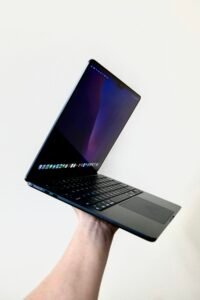
The series of MacBook Air, which uses Apple Silicon, adopts the ARM processor. However, this creates a new problem. The Ubuntu operating systems are not compatible with
Apple Silicon Processors, like the Intel Processors.
It should be emphasized that the Ubuntu Operating System can run successfully on such models
- virtualization
- Emulation
- Experimental porting of Linux
This negatively impacts performances as well as access to your computer’s hardware. Of course, it is not possible to implement this on your personal computer yet.
Options for Ubuntu Installation on MacBook Air
There are multiple methods that could be used to run Ubuntu Operating System on a MacBook Air.
Some common installation procedures are:
- Dual Boot mit macOS
- Subtititutes related to Complementary
- Virtual machine installation
- Use of Live USB Devices
Each method has a different effect on the performance, system access, and stability.
Using dual-boot with both macOS and Dual Booting
Dual-booting allows one person to have the MacOS operating system on the computer and the installation of the Ubuntu operating system on another partition. Such an installation is ideal for one user who wants flexibility.
On the startup process being initiated, the users are presented with the option of the operating system to be loaded. If the Ubuntu operating system is selected to run, it gets to run natively and be able to access the system resources.
However, disk partitioning should be done cautiously to avoid loss of data.
Instead of using macOS Completely
Subheading
Some people choose to erase macOS entirely and install Ubuntu as the sole operating system installed on the computer, providing a clean install of Linux with no storage sharing issues.
It is most suitable for older versions of MacBook Air which run solely on Linux operating systems. Very few options will then be available for recovery after removing the operating system of macOS unless they are planned in advance.
Ubuntu in einer Virtual-Machine- Umgebung
Virtual machines allow the operation of Ubuntu on the macOS environment using the disk space without any alterations to the disk partitions. It is the most secure method for experimenting.
The performance will be poor compared to native installation. The hardware support will also be limited. The battery life and graphical capabilities can be poor compared to native Ubuntu installation.
However, virtualization is a rather frequent practice among developers at the stage of testing Linux workflows on Linux.
Ubuntu & MacBook Air: The Performance of the Linux Distribution
The functionality of the system depends greatly on the MacBook Air model and the installation process. In Intel-based systems involving native installation, Ubuntu operates flawlessly and efficiently.
The booting process is FAST, and general operations such as browsing, coding, and document editing are good. The light desktop environments that come pre-installed in Ubuntu can also increase the responses.
The performance level on virtual machines depends on resource allocation.
Battery Life & Power Management
Due to the limited
One of the major concerns while configuring the MacBook Air Ubuntu setup has to be the battery life. The battery life optimization was only optimized for Apple hardware, meaning the ubuntu distribution applies common battery management.
Batteries would tend to drain faster while using Ubuntu as it is. Power management tools and/or CPU governors would be of aid to optimize battery life.
The cycle of sleep and wake could require calibration based on a model.
Keyboard, Trackpad, and Input Behavior
The keyboard of the MacBook Air is working well with the Ubuntu OS. There are some differences in the functions key and the media key/shortcut key.
The touchpad functionality is a mixed bag. The functionality is adequate, but intricate gestures might not be as smooth as they are in the MacBook. Customization could optimize this functionality.
There is nothing wrong in using an external keyboard or mouse.
WiFi, Bluetooth, and Network Drivers
Whether the MacBook Air has Wi-Fi connectivity may be dependent upon the type of chipset used within the particular model. This may involve the installation of proprietary drivers.
Bluetooth capabilities work normally but might fail from time to time during the pairing process. USB Ethernet connectors connect via USB connectors.
The network performance will be stabilized as appropriate drivers are loaded.
Display Scaling and Resolution Handling
The screen resolution in MacBook Air is high, causing scaling issues with Ubuntu desktop. The fonts appear small, requiring font scaling.
Ubuntu provides display-scaling, in which the user can enable fractional scaling. USB externals are also supported, although the user would need to manually configure the display resolution.
Audio, Mic, and Webcam Features
The speaker and microphone will be compatible with Intel MacBooks Air. The sound will be less than what is obtained in MacOs, yet it will still function.
The support for the webcam may not be universal across the different versions. There are some models which will recognize the webcam the moment it is connected.
Testing is always advised prior to full installation.
Software Development & Productivity on Ubuntu
There are many users of macbook air ubuntu for development. Ubuntu is compatible with a wide range of development tools, as well as a range of package managers.
Languages such as Python, Java, C++, and JavaScript are perfectly compatible. Containerization & server technologies are more manageable in the case of Ubuntu when compared to macOS.
System updates and Maintenance
Unlike in the case of a Mac operating system, the user has control over the time as well as the way the update takes place in the Ubuntu operating system.
Security and Privacy Considerations
The security features of Ubuntu are outstanding, including user permissions, firewall protection, and encrypted filesystems. There is more information about the processes that are running on the system with Ubuntu than with a Mac.
Concerning users who prioritize privacy, Ubuntu is much more transparent and gives users greater control over their data.
Is A MacBook Air Capable Of Running Ubuntu?
In the case of Intel model computers, Ubuntu can be termed as a preferred operating system following some setup tasks. Those who appreciate the functions and flexibility of Linux as well as free software can utilize this particular operating system software.
As far as systems based on Apple’s Siliconhardware are related, Ubuntu is more appropriate for testing than production.
FAQs
1. Curious about the Ubuntu installation possibilities for the MacBook Air?
Of course, Ubuntu can also be installed on MacBook Air laptops, and this can be done if the laptops are powered by Intel processors.
2. Does the Apple Silicon MacBook Air support Ubuntu?
The kind of support offered is basic. Very few people make use of it, and the rest may be using virtualization or experimenting.
3. Is Wi-Fi connectivity available on Ubuntu installed on the MacBook Air?
Well, yes, but some might have additional drivers.
4. Compare battery times of Ubuntu to battery times of macOS?
Usually, yes, but power management tools might assist.
5. Is Ubuntu on MacBook Air a good choice for developers?
Yes, Ubuntu is enormously used in development works, along with extensive support for development tools.
Conclusion
MacBook Air, if paired with Ubuntu, can be a powerful, flexible, and efficient tool if done correctly. The Intel-based MacBook Air is highly supported, powerful, and efficient with Ubuntu. The Apple silicon MacBook Air lacks support since the hardware is not compatible with Ubuntu.
Acknowledging the variations is essential for the user to make the right decisions without falling into the traps. Using appropriate installation techniques, a MacBook Air can be transformed into a multi-tasking system that runs on Ubuntu.